
How to Convert OST to PST: Complete Guide to OST to PST Conversion
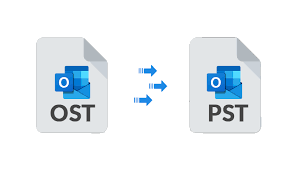
Microsoft Outlook is one of the most widely used email applications for managing business and personal communication. It allows users to manage emails, contacts, calendars, tasks, notes, and other mailbox data from one place. Depending on the type of email account and Outlook configuration, Outlook uses different data file formats, mainly OST and PST. Understanding these file types is important when you need to move, back up, recover, or access Outlook data.
What Is Microsoft Outlook?
Microsoft Outlook is an email and personal information management application from Microsoft. It is commonly used with Microsoft 365, Exchange Server, Outlook.com, and other email services. Outlook stores mailbox information locally so users can work with their emails and other items efficiently.
For Microsoft 365 and Exchange accounts, Outlook commonly creates an Offline Outlook Data File with the .ost extension. PST files, on the other hand, are commonly used for storing Outlook data locally, archiving emails, creating backups, and transferring mailbox information.
What Is an OST File?
OST stands for Offline Outlook Data File. It is mainly associated with Exchange, Microsoft 365, IMAP, and Outlook.com accounts. An OST file stores a synchronized local copy of mailbox information, allowing users to access previously synchronized data while working offline.
The important point is that an OST file is generally connected to the original Outlook profile and account. Microsoft notes that OST files are copies of information stored on the mail server and are automatically recreated when an account is configured again.
Because of this design, simply copying an OST file to another computer and opening it like a normal PST file is not a straightforward process.
What Is a PST File?
PST stands for Personal Storage Table. A PST file is an Outlook Data File that can contain emails, contacts, appointments, calendars, tasks, notes, and other Outlook items.
PST files are useful for local data storage, archiving, backup, and transferring Outlook information between computers or accounts. Microsoft also provides options to open or import PST files into Outlook.
This makes PST a practical format when users need to preserve Outlook mailbox data independently from the original account or profile.
OST vs PST: What Is the Difference?
Although both OST and PST store Outlook information, they serve different purposes.
OST file:
- Used as an offline copy of server-based mailbox data.
- Common with Microsoft 365 and Exchange accounts.
- Synchronizes data with the associated mail server.
- Usually connected to a particular Outlook account and profile.
PST file:
- Stores Outlook data locally.
- Can be used for backup and archiving.
- Can be opened or imported into supported Outlook versions.
- Useful when transferring mailbox data between systems or accounts.
Therefore, when users have an orphaned, inaccessible, or disconnected OST file, converting OST to PST can provide a practical way to access and preserve the mailbox data.
Why Do You Need to Convert OST to PST?
There can be several situations where OST to PST conversion becomes necessary. For example, an Outlook profile may be removed, an Exchange account may no longer be available, or an OST file may become orphaned after changes to the mailbox configuration.
OST files can also become inaccessible because of corruption, synchronization problems, hardware issues, software problems, or unexpected Outlook shutdowns. In such cases, users may need to recover the available mailbox information from the OST file.
Another common reason is data migration. A PST file can be opened or imported in Outlook, making it useful when moving mailbox information between computers or accounts. Microsoft specifically documents PST use for moving Outlook items between accounts and computers.
Best Methods to Convert OST to PST
There are different approaches to handling OST data, depending on whether the original account is still available.
If the mailbox is accessible and synchronized, users can use Outlook's built-in export functionality to create a PST backup. Microsoft provides an Outlook export process for creating PST files from accessible mailbox data.
However, this approach may not solve the problem when the OST file is orphaned, disconnected, corrupted, or cannot be accessed through the original Outlook profile. In such situations, specialized OST conversion software can be useful.
MailsDaddy OST to PST Converter
MailsDaddy OST to PST Converter is designed to convert Outlook OST files into PST format while helping users recover and preserve mailbox data. The software supports large, orphaned, encrypted, offline, and IMAP-based OST files according to the product documentation.
The tool provides a preview of OST mailbox contents before export and supports conversion of emails, contacts, calendars, tasks, and other mailbox items. It can also preserve folder hierarchy, email formatting, read/unread status, and important email properties during conversion.
Another useful feature is batch conversion, which allows users to add multiple OST files for processing. Users can also select specific folders or emails instead of converting the entire mailbox. Filtering options can help locate required emails using details such as sender, recipient, subject, and date range.
Besides PST, MailsDaddy supports exporting OST data to formats such as EML, MSG, HTML, MHTML, RTF, PDF, and MBOX. It also provides options to export contacts and calendars separately and can split large PST output files when required.
How to Convert OST to PST Using MailsDaddy
The conversion process is straightforward:
- Download and install MailsDaddy OST to PST Converter on a Windows computer.
- Launch the software and add the required OST file.
- Preview the mailbox folders and available data.
- Select the Export option.
- Choose PST as the output format.
- Select a destination location for the PST file.
- Choose single or separate PST output and apply available filters if required.
- Start the conversion process and wait for it to complete.
After conversion, the resulting PST file can be accessed using supported Outlook versions.
Conclusion
OST and PST are important Outlook data file formats, but they are designed for different purposes. OST files primarily work as synchronized offline copies of server-based mailboxes, while PST files provide a portable way to store, archive, back up, and transfer Outlook data.
When an OST file becomes orphaned, inaccessible, or difficult to access through its original Outlook profile, converting it to PST can help preserve and access the available mailbox data. For users looking for a dedicated solution, MailsDaddy OST to PST Converter provides features such as batch conversion, mailbox preview, selective export, folder hierarchy preservation, filtering, and support for multiple output formats.

 English
 Arabic
 French
 Spanish
 Portuguese
 Deutsch
 Dutch
Dutch
 Italiano
 Russian
 Romaian
 Portuguese (Brazil)
 Greek
Greek