
How to Create Custom Logo Embroidery Machine Designs for Your Business
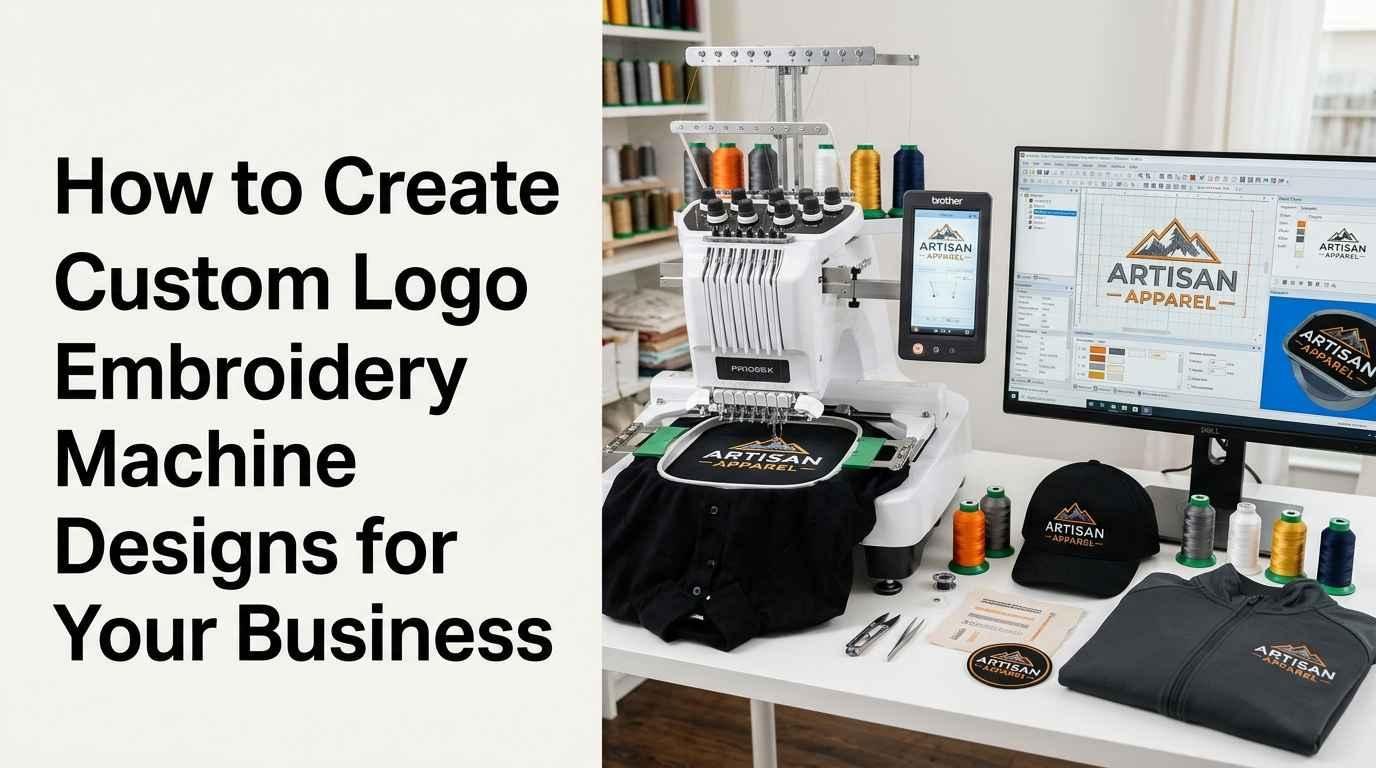
Custom logo embroidery machine designs help businesses turn their branding into stitched logos for uniforms, workwear, promotional products, caps, jackets, and other fabric items. A well-prepared embroidered logo can maintain a consistent brand appearance while giving garments a textured, professional finish.
However, creating a logo for embroidery involves more than selecting an image and sending it to a machine. The artwork must be prepared for stitching, converted into a compatible embroidery file, and adjusted to suit the intended fabric and design dimensions.
If you own a small business, clothing brand, embroidery shop, or promotional products company, understanding this process can help you make better decisions about logo design and production.
This guide explains how to create custom logo embroidery machine designs for your business, from preparing the original artwork to testing the final stitched result.
What Are Custom Logo Embroidery Machine Designs?
Custom logo embroidery machine designs are digitized versions of business logos that contain instructions for an embroidery machine. These instructions determine stitch placement, stitch direction, thread colors, and the order in which different parts of the logo are sewn.
A standard image file, such as a PNG or JPG, displays the logo visually. An embroidery file contains the information the machine needs to reproduce that artwork with thread.
For example, a company logo may include a symbol, business name, and two brand colors. To embroider it on a uniform, the design must be converted into a stitch-based file with appropriate lettering, stitch types, density, underlay, and sequencing.
The goal is to preserve the recognizable features of the brand while adapting the artwork to the physical limitations of embroidery.
Why Businesses Need Custom Embroidery Logo Designs
Businesses use embroidered logos for branding, employee clothing, promotional merchandise, and customer products. Custom digitizing helps prepare the logo for its intended application rather than relying on artwork that may not stitch correctly.
Consistent Business Branding
Businesses often use the same logo across uniforms, jackets, polo shirts, and other products. A properly prepared embroidery file helps maintain consistent proportions, lettering, and color placement across repeat orders.
Professional Uniforms
Restaurants, retail stores, construction companies, healthcare providers, and service businesses may use embroidered logos on staff clothing. The design needs to remain clear on the chosen fabric and at the intended size.
Promotional Products
Custom logos can be embroidered on caps, tote bags, sweatshirts, jackets, and other merchandise. Each product may require different dimensions or digitizing adjustments.
Repeatable Production
Keeping an approved embroidery file makes repeat production easier. Instead of rebuilding the design for every order, the business can use the saved file and make adjustments when the product or dimensions change.
Step 1: Define Your Business Logo Requirements
Before creating a custom embroidery design, decide how the logo will be used. This information affects the artwork preparation, digitizing method, and final stitch structure.
Consider these questions:
-
What product will carry the logo?
-
Will it be used on shirts, caps, jackets, bags, or patches?
-
What are the required width and height?
-
Which fabric or material will be embroidered?
-
Does the design include small text, fine outlines, or complicated shapes?
-
Which embroidery machine and file format will be used?
For example, a small left-chest logo on a polo shirt has different requirements from a large jacket-back design. A cap logo may also require special attention because the surface is curved and can be more difficult to embroider evenly.
Defining the application at the beginning helps avoid unnecessary revisions later.
Step 2: Prepare High-Quality Logo Artwork
Clear artwork gives the digitizer a reliable reference for shapes, outlines, lettering, and brand colors.
Vector formats such as AI, EPS, and SVG can be useful because they contain scalable shapes. High-resolution PNG or JPG files may also be suitable when the design is clear and easy to interpret.
However, good artwork does not automatically make a logo embroidery-ready. Some details that work in digital graphics or print may be too small or delicate for thread.
Simplify Unnecessary Details
Tiny decorative marks, narrow gaps, thin outlines, and complex gradients may not reproduce accurately in embroidery.
A digitizer may simplify these elements while preserving the most recognizable parts of the logo. This can improve readability and reduce unnecessary stitching.
Check the Logo at the Intended Size
Always review the logo at its actual embroidered dimensions. A detailed design that looks clear on a large monitor may become crowded when reduced for a small uniform placement.
If the logo contains a long slogan or very small text, consider whether it is essential to the embroidered version. In some cases, a simplified logo variation may work better.
Maintain Brand Recognition
Simplification should not remove important brand features. Preserve the main symbol, essential lettering, and key color relationships wherever practical.
The aim is to adapt the logo for thread while keeping it recognizable.
Step 3: Select the Correct Embroidery Size and Placement
The size of a logo influences its stitch count, lettering clarity, coverage, and production time. The available embroidery area also depends on the product and machine.
Common placements include:
-
Left chest on polo shirts and uniforms.
-
Front panels of caps and hats.
-
Sleeves of jackets and workwear.
-
Large back panels of jackets.
-
Custom patches and promotional accessories.
A small chest logo may require fewer details and larger lettering relative to its dimensions. A large jacket-back logo can accommodate more detail, but it may need careful planning to manage fabric movement and stitch density.
Confirm the final width and height before digitizing. If you plan to use the logo at several substantially different sizes, ask whether separate versions are recommended. Simply enlarging or shrinking a finished embroidery file can affect stitch spacing and detail quality.
Step 4: Digitize the Logo for Machine Stitching
Digitizing is the process of converting artwork into embroidery machine instructions. It is one of the most important stages in creating a production-ready design.
A digitizer plans the stitch structures and settings needed to reproduce the artwork on the intended material.
Choose Suitable Stitch Types
Different design elements require different stitch structures.
Satin stitches are commonly used for lettering, narrow borders, and slim shapes. They can create a smooth, raised finish when the column width is suitable.
Fill stitches cover larger areas, including broad letters and solid logo shapes. Their spacing and direction affect coverage, texture, and flexibility.
Running stitches are useful for fine lines, outlines, and selected small details. Very thin elements may need to be adjusted to remain visible after stitching.
The best stitch type depends on the dimensions, shape, fabric, and intended appearance of each element.
Set Appropriate Stitch Density
Stitch density describes how closely stitches are placed together. Excessive density can create stiff embroidery, fabric distortion, and thread breaks. Insufficient density may leave unwanted gaps.
There is no single density setting that suits every logo. The digitizer should account for stitch type, fabric, thread, and design dimensions.
Add Suitable Underlay
Underlay stitches provide a foundation for visible stitching. They help stabilize the design, improve coverage, and support top stitches.
The correct underlay depends on the design element and material. Too little support can lead to poor coverage, while excessive underlay may create unnecessary bulk.
Apply Pull Compensation
Embroidery stitches can pull fabric inward as they form. Pull compensation helps account for this movement and preserve the intended shape.
The amount required depends on the stitch structure, fabric, design size, and machine conditions. Incorrect compensation may create gaps or cause shapes to overlap.
Plan the Stitch Sequence
A logical stitch sequence helps adjoining elements align correctly and reduces unnecessary movement, trims, and thread changes.
The digitizer should consider which sections are sewn first, how outlines are added, and where travel stitches can be managed to avoid visible connecting threads.
Step 5: Choose the Right Embroidery File Format
Once the logo has been digitized, it must be exported in a format supported by the embroidery machine.
Common formats include:
| File format | Common use |
|---|---|
| DST | Frequently used in commercial embroidery production |
| PES | Used by many Brother and Baby Lock machines |
| EXP | Supported by various commercial embroidery systems |
| JEF | Used by many Janome embroidery machines |
| VP3 | Supported by certain Pfaff and Husqvarna Viking machines |
These are general associations, and compatibility varies by machine model. Check the manufacturer's documentation before selecting a format.
Remember that a file extension alone does not guarantee stitch quality. The digitizing, design dimensions, and machine settings also affect the final result.
For business use, keep the approved embroidery file and, where available, an editable source version. This makes future corrections and adjustments easier.
Step 6: Match Thread Colors to Your Brand
Thread color selection helps preserve the visual identity of your business logo. Choose colors that closely match the brand palette while considering the threads available for production.
Some colors may look different on a screen than they do when stitched. Thread sheen, fabric color, lighting, and stitch direction can all affect the appearance.
Review the planned colors before production, particularly when the logo includes several similar shades.
The digitizer should also organize the color sequence logically. Unnecessary color changes can increase production time, while poorly planned overlaps may cause gaps or excess bulk.
If exact brand-color matching is important, test the available thread colors on the intended material before approving a large order.
Step 7: Prepare the Fabric and Embroidery Machine
Even a well-digitized logo can produce poor results if the fabric or machine is not prepared correctly.
Choose a Suitable Stabilizer
Stabilizer supports the fabric during stitching and helps reduce movement. The correct type depends on the material, design density, garment construction, and intended finish.
Stretchy knitwear may require different stabilization from stable woven cotton, fleece, denim, or structured cap material.
Use an Appropriate Needle and Thread
Needle selection should suit the fabric and thread. A worn or unsuitable needle can contribute to thread breaks, fabric damage, or skipped stitches.
Use thread appropriate for the machine and project, and confirm that the machine is threaded correctly.
Hoop the Material Properly
The fabric should be held securely without excessive stretching. Poor hooping can cause shifting, misalignment, and distortion.
Follow the machine manufacturer's instructions and check that the embroidery area is positioned correctly before starting.
Review Machine Settings
Check thread tension, needle condition, hoop alignment, and other machine settings before production. These factors work together with the digitized file to influence the final embroidery.
Step 8: Test Stitch the Business Logo
A test sew-out is an important quality-control step, especially when a logo will be used on multiple garments or products.
Whenever possible, use material and stabilizer similar to those planned for the final order. This helps reveal how the design behaves under realistic conditions.
Inspect the sample for:
-
Clear lettering and recognizable shapes.
-
Consistent thread coverage.
-
Clean outlines and alignment between colors.
-
Unwanted fabric gaps or excessive thread buildup.
-
Puckering, distortion, or stiffness.
-
Thread breaks and unnecessary jump stitches.
If the result needs improvement, the digitizer may adjust density, underlay, pull compensation, stitch direction, or the design itself.
Once the sample is approved, keep a record of the final file, thread colors, product dimensions, and any machine settings that are important for repeat production.
Step 9: Create Different Versions for Different Products
A business may want its logo on polo shirts, caps, jackets, bags, and patches. Using one file for every product may not always produce consistent results.
Different materials and placements can require different digitizing choices.
Shirt and Uniform Logos
Small left-chest designs usually require careful lettering and simplified details. The file should be prepared for the fabric's stability and the dimensions available on the garment.
Cap and Hat Logos
Caps have curved surfaces, and their structure can affect how the design is stitched. A cap-specific version may need different sequencing and adjustments to help the elements align.
Jacket-Back Logos
Large designs can contain more detail, but they may require careful management of stitch count, fabric movement, and embroidery weight.
Custom Patch Designs
Patch embroidery may require clear outer borders and appropriate coverage. The digitizing should account for the patch material and the intended finishing method.
When branding across multiple product types, discuss these differences before production. Separate versions can help maintain consistent visual quality.
Common Mistakes to Avoid When Creating Business Logo Designs
Businesses can waste time and materials when they overlook the practical requirements of embroidery.
Using artwork without digitizing: A regular image file usually cannot be sent directly to an embroidery machine.
Keeping every tiny detail: Fine lines and narrow gaps may disappear or merge when converted into stitches.
Ignoring the fabric: A design prepared for stable fabric may need adjustments for stretchy garments, caps, or textured materials.
Selecting the wrong file format: An unsupported format may prevent the machine from reading the design correctly.
Using excessive stitch density: Too many stitches can cause stiffness, distortion, and unnecessary thread consumption.
Skipping sample stitching: A test sew-out helps reveal problems before a full production run.
Resizing without checking the stitch structure: Large size changes can affect coverage, spacing, and small details.
Avoiding these problems starts with clear project requirements, appropriate digitizing, and quality checks before production.
How to Choose a Professional Logo Digitizing Service
If your business does not have in-house digitizing expertise, a professional service can prepare your artwork for embroidery production.
Review the provider's portfolio and look for examples involving lettering, small logos, caps, uniforms, or other products similar to yours. Ask about supported file formats, turnaround time, revisions, and what is included in the price.
Provide the original artwork, target dimensions, fabric type, placement, and machine format. The more clearly you describe the project, the easier it is for the digitizer to prepare a suitable file.
For larger orders, ask whether a test sew-out is recommended before full production. Also clarify how corrections are handled if the design does not stitch as expected.
Compare services based on file quality, communication, experience, and the support offered—not only the initial price.
How Much Does Custom Logo Digitizing Cost?
Custom embroidery digitizing prices vary depending on the design's complexity, dimensions, stitch count, turnaround time, and the provider's pricing structure.
A simple logo with a few solid shapes may require less work than a detailed emblem with small lettering, several colors, and complicated outlines.
Additional adjustments may be needed when the logo must work on different fabrics or product types. Some providers include revisions, while others charge separately for significant changes.
Before placing an order, confirm the required format, delivery time, revision policy, and whether the quoted service includes adjustments for the intended application.
A well-prepared file can help reduce avoidable production problems, although actual stitching results also depend on the fabric, machine, and operator.
Conclusion
Creating custom logo embroidery machine designs for your business requires clear artwork, suitable dimensions, accurate digitizing, compatible file formats, and careful testing. Each step helps convert your visual brand identity into a design that can be reproduced reliably with thread.
Start by defining the intended product and placement, then prepare the artwork and choose a digitizing approach that suits the fabric and logo details. Test the file before large-scale production and keep the approved version for future orders.
If you need professional support with preparing business logos for embroidery, zdigitizing.net is one option to evaluate. Share your artwork, dimensions, product type, and required machine format so the digitizing process can be planned around your production needs.
Frequently Asked Questions
Q1. How do I create a custom logo embroidery machine design for my business?
Start with clear artwork, decide the design dimensions and product placement, digitize the logo, export it in a compatible machine format, and test stitch it on suitable material before production.
Q2. Can I use a PNG file for machine embroidery?
A PNG can serve as source artwork, but it generally needs to be converted into embroidery stitch instructions before an embroidery machine can use it.
Q3. Which embroidery file format is best for business logos?
The best format depends on the machine. DST, PES, EXP, JEF, and VP3 are common formats, but you should verify compatibility with your specific model.
Q4. Should I use the same embroidery file for shirts and caps?
Not always. Shirts and caps have different surfaces and stitching requirements. A design may need separate digitizing or adjustments to work well on both.
Q5. Why is test stitching important for business logos?
Test stitching helps identify problems with lettering, coverage, alignment, thread breaks, and fabric distortion before the design is used for a larger order.
Q6. How can I make small business logo text easier to read in embroidery?
Use suitable lettering, maintain adequate spacing, simplify unnecessary details, and review the text at its actual embroidered size. The right approach depends on the fabric, thread, and design dimensions.
Q7. What should I send to an embroidery digitizer?
Provide clear artwork, the required width and height, the product and fabric type, the logo placement, preferred thread colors, and the embroidery file format supported by your machine.
Q8. Can custom embroidery logo files be reused for future orders?
Yes. An approved file can often be reused when the machine, dimensions, and application remain suitable. Significant changes in size or fabric may require adjustments or a separate version.

 English
 Arabic
 French
 Spanish
 Portuguese
 Deutsch
 Turkish
 Dutch
Dutch
 Italiano
 Russian
 Romaian
 Portuguese (Brazil)