
JPG to JEF Online Converter: What You Need to Know
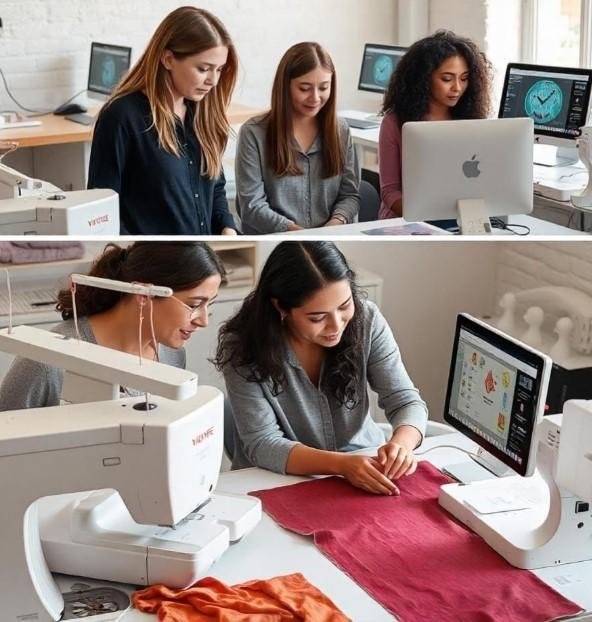
Have you ever searched for a JPG to JEF online converter hoping to turn your favorite image into an embroidery design with just one click? If so, you're not alone. Thousands of embroidery enthusiasts, hobbyists, and business owners look for a quick online solution every day.
The truth is, converting a JPG image into a JEF embroidery file isn't as simple as converting one image format into another. Unlike regular image files, embroidery designs require detailed stitch instructions that machines can understand. In this guide, you'll learn how the process really works, whether online converters are worth using, and how Absolute Digitizing helps create embroidery-ready JEF files that stitch beautifully.
What Is a JPG File?
A JPG (JPEG) file is one of the most common image formats used for:
-
Company logos
-
Photographs
-
Artwork
-
Illustrations
-
Digital graphics
JPG files store pictures using pixels. While they look great on screens, they contain no information about stitches, thread colors, or sewing paths.
What Is a JEF Embroidery File?
A JEF file is an embroidery format designed for Janome embroidery machines.
Unlike a regular image, a JEF file contains machine-readable embroidery data, including:
-
Stitch types
-
Stitch directions
-
Thread color sequence
-
Needle changes
-
Underlay stitches
-
Design size
-
Stitch count
Without this information, an embroidery machine cannot sew the design correctly.
Can a JPG to JEF Online Converter Really Work?
This is one of the most common questions in embroidery.
The short answer is not completely.
Most online converters can change image formats, but embroidery files are entirely different. A true JEF file requires embroidery digitizing, where every stitch is planned and created based on the artwork.
Think of it like this:
A JPG is similar to a photo of a road map.
A JEF file is the GPS navigation system that tells the machine exactly where to go, when to turn, and how to get there.
Without those directions, the embroidery machine simply doesn't know what to do.
Why Image Conversion Isn't Enough
Many people believe changing a file extension from ".jpg" to ".jef" will solve the problem.
Unfortunately, it won't.
Embroidery machines don't read pixels. They read stitch instructions.
To create those instructions, the design must be digitized.
That process includes:
-
Selecting stitch types
-
Setting stitch direction
-
Creating underlay
-
Adjusting stitch density
-
Adding pull compensation
-
Defining thread sequence
These decisions require embroidery knowledge that automatic image converters cannot fully replace.
How a JPG to JEF Conversion Actually Works
Step 1: Upload a High-Quality Image
Start with clear artwork.
The best images have:
-
High resolution
-
Clean outlines
-
Solid colors
-
Minimal background distractions
The better the artwork, the better the embroidery result.
Step 2: Review the Design
Every design is different.
Before digitizing, the artwork is evaluated for:
-
Fine details
-
Small lettering
-
Color count
-
Fabric type
-
Overall complexity
Sometimes small adjustments improve stitch quality significantly.
Step 3: Digitize the Artwork
This is the most important stage.
A professional digitizer manually creates embroidery paths by assigning:
Stitch Types
Different sections require different stitches such as:
-
Satin stitches
-
Fill stitches
-
Running stitches
Stitch Direction
Proper stitch angles improve texture and appearance.
Underlay
Underlay stabilizes the design before the top stitches are sewn.
Stitch Density
Balanced density prevents thread breaks and fabric puckering.
Pull Compensation
Extra adjustments help maintain accurate shapes after stitching.
Step 4: Export as JEF
Once digitizing is complete, the embroidery design is saved as a JEF file.
The file is now compatible with supported Janome embroidery machines.
Step 5: Test Stitch the Design
Professional digitizers always recommend testing before production.
A sample stitch-out helps identify:
-
Gaps
-
Thread breaks
-
Registration problems
-
Excessive density
-
Alignment issues
Necessary corrections can then be made.
Benefits of Professional Embroidery Digitizing
Instead of relying solely on an automatic JPG to JEF online converter, professional digitizing offers several advantages.
Better Stitch Quality
Every stitch is carefully optimized for smooth embroidery.
Cleaner Small Text
Lettering remains readable and sharp.
Fewer Machine Problems
Proper stitch sequencing reduces thread breaks.
Accurate Shapes
Design elements maintain their original appearance after stitching.
Professional Results
Your finished embroidery looks clean, balanced, and polished.
Common Mistakes to Avoid
Many embroidery beginners make the same errors.
Avoid these common mistakes:
-
Uploading blurry images
-
Expecting instant automatic conversion
-
Ignoring stitch density
-
Using artwork with too many tiny details
-
Skipping test stitching
-
Choosing low-quality source images
These issues often lead to disappointing embroidery results.
Tips for Better JPG to JEF Conversion
If you want the best possible embroidery outcome, keep these tips in mind:
-
Use high-resolution artwork whenever possible.
-
Keep lettering large and easy to read.
-
Remove unnecessary background details.
-
Choose bold shapes over thin lines.
-
Match the design to the intended fabric.
-
Always review a sample stitch-out.
-
Work with experienced embroidery digitizers.
A little preparation goes a long way toward producing beautiful embroidery.
Who Can Benefit from JPG to JEF Conversion?
A professionally digitized JEF file is useful for:
-
Embroidery businesses
-
Apparel brands
-
Promotional product companies
-
Schools and universities
-
Sports teams
-
Uniform suppliers
-
Hobby embroiderers
-
Small business owners
Whether you're stitching one logo or hundreds of garments, a quality JEF file saves time and improves results.
Why Choose Absolute Digitizing?
At Absolute Digitizing, we understand that embroidery is more than simply converting images. Every design is carefully digitized by experienced professionals who focus on stitch quality, fabric performance, and production efficiency.
Our services include:
-
Professional JEF embroidery digitizing
-
Fast turnaround times
-
Optimized stitch paths
-
Balanced stitch density
-
High-quality embroidery files
-
Friendly customer support
We create machine-ready embroidery files that help you achieve clean, professional stitching from the very first run.
Final Thoughts
Searching for a JPG to JEF online converter is a great starting point, but it's important to understand that embroidery files require much more than basic image conversion. A high-quality JEF file contains detailed stitch information that only proper embroidery digitizing can provide.
By starting with a clear image and choosing professional digitizing, you'll enjoy smoother production, fewer machine issues, and embroidery that truly reflects your original artwork. If you're ready to transform your design into a production-ready JEF file, Absolute Digitizing is here to help with precision, quality, and dependable results.
FAQs
1. Is there a free JPG to JEF online converter?
Some online tools claim to convert images into embroidery files, but most cannot create production-quality stitch data. Professional digitizing is recommended for the best results.
2. Why can't my Janome machine open a JPG image?
Janome embroidery machines read JEF embroidery files, not image formats like JPG. The artwork must first be digitized into stitch instructions.
3. How long does it take to convert a JPG into a JEF file?
The time depends on the design's complexity. Simple logos are usually completed faster than detailed artwork with many colors and fine details.
4. Does image quality affect embroidery digitizing?
Yes. High-resolution images produce cleaner stitch paths and better embroidery results, while blurry images often require additional editing.
5. What information is stored inside a JEF file?
A JEF file contains stitch types, stitch order, thread colors, underlay settings, needle changes, stitch count, and other machine instructions needed for embroidery.

 English
 Arabic
 French
 Spanish
 Portuguese
 Deutsch
 Turkish
 Dutch
Dutch
 Italiano
 Romaian
 Portuguese (Brazil)
 Greek
Greek